 product
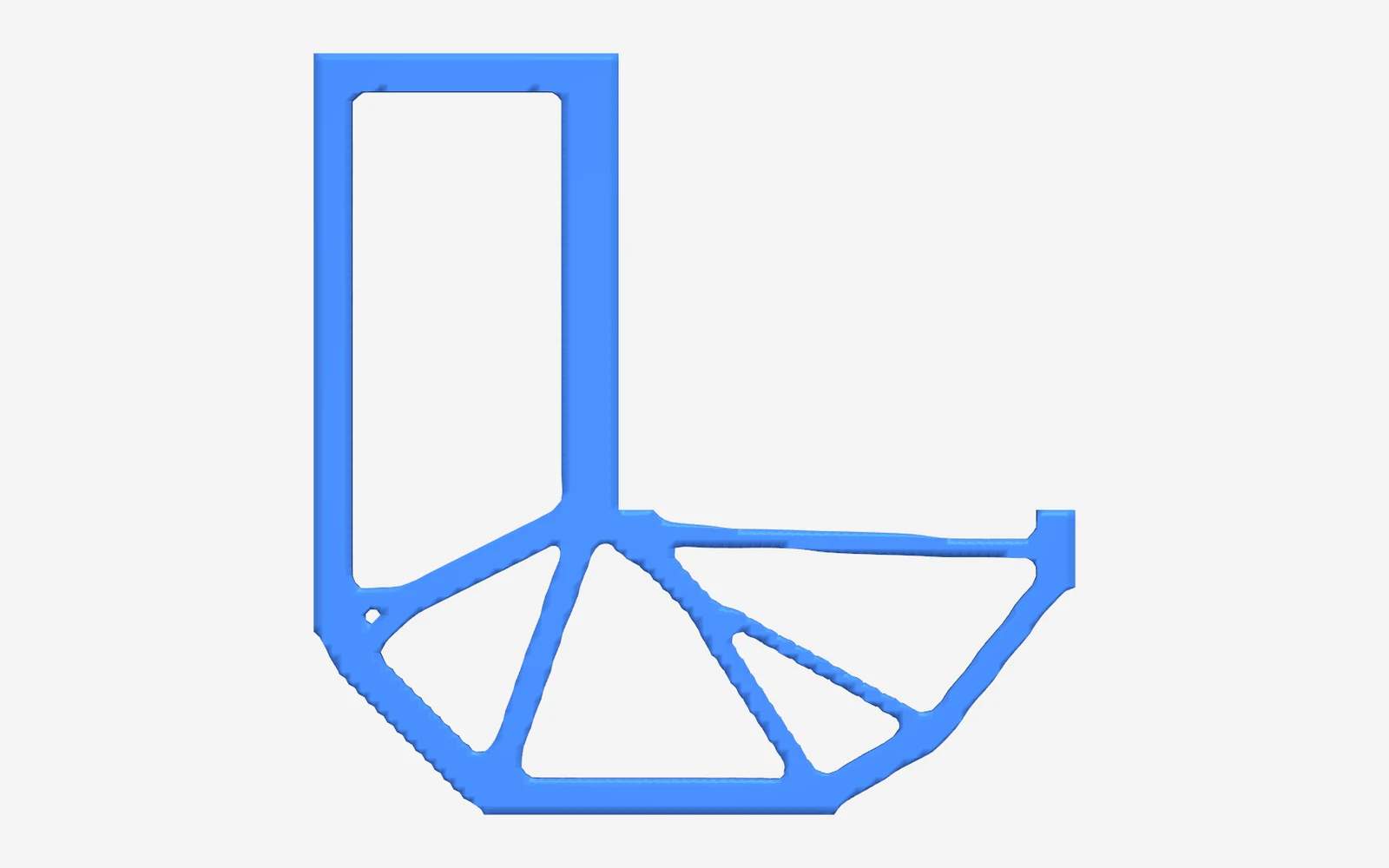
L-bracket
Minimum mass under a stress limit. The finished part peaks at 1.007× the limit. With point-by-point stress control it needs 16% less material (26% of the design space instead of 31%) and peaks at 1.03×.

Give Naksha a design space, the loads and the limits. It returns a lighter, stiffer part as a CAD-ready STEP solid or a watertight STL, and solves it again as built before you see a number.
Topology and topography optimisation are included in Naksha Free. For crashworthiness, see crash optimisation.
Start from a block of design space. Naksha removes what doesn't carry load and keeps the paths that do, for the goal you set.
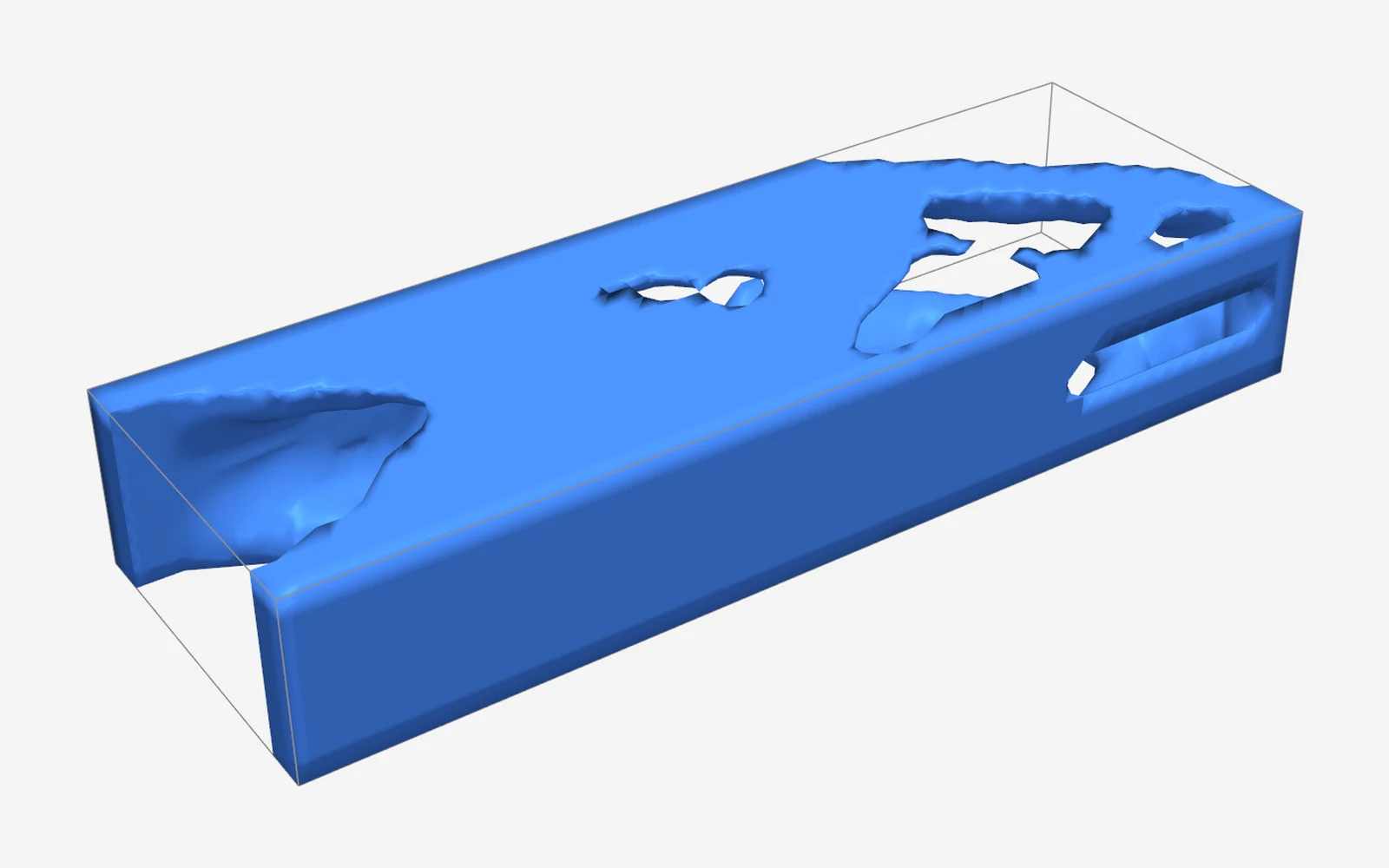
Minimum mass under a stress limit. The finished part peaks at 1.007× the limit. With point-by-point stress control it needs 16% less material (26% of the design space instead of 31%) and peaks at 1.03×.
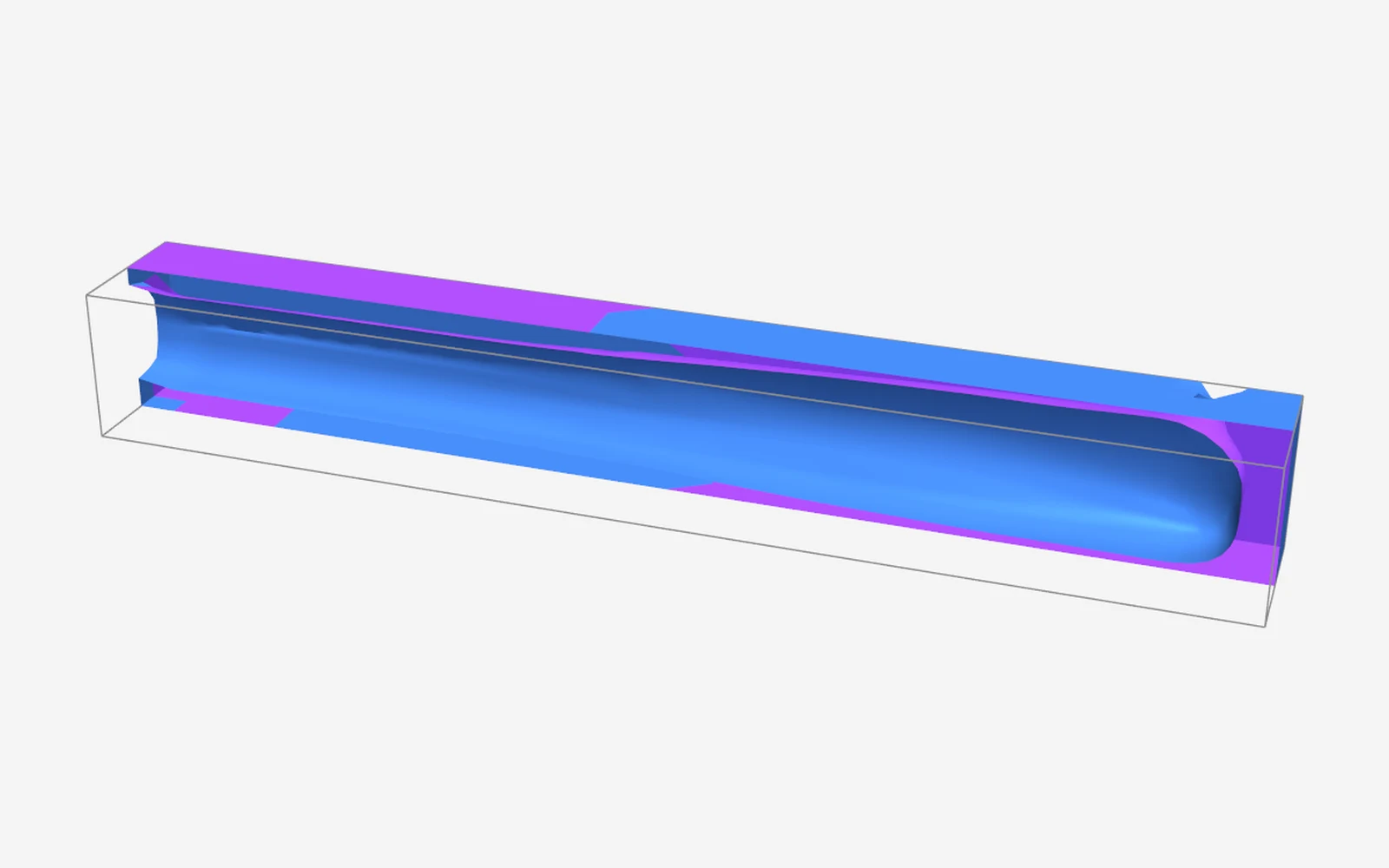
Half the material, buckling factor held at its bound. Material moves to the outside and the base: the core empties and the result is a tube.
The two lowest frequencies are raised at a fixed mass. The part as built lands within 3–4% of the optimiser's prediction, so the gain is real, not grey material.
An optimised part is only useful if it can be cast, machined or printed. Naksha builds the process into the design, not into a clean-up afterwards.
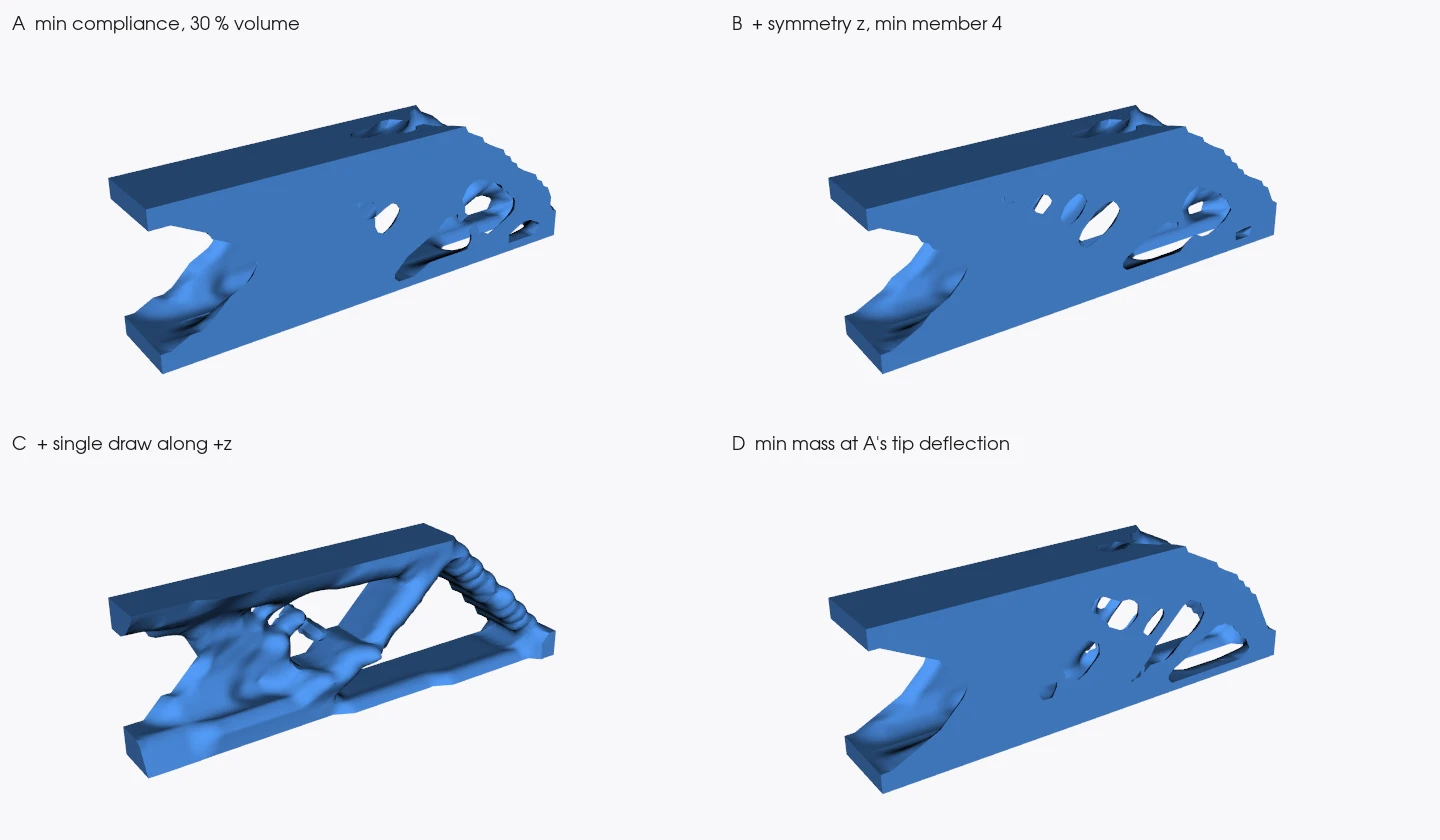
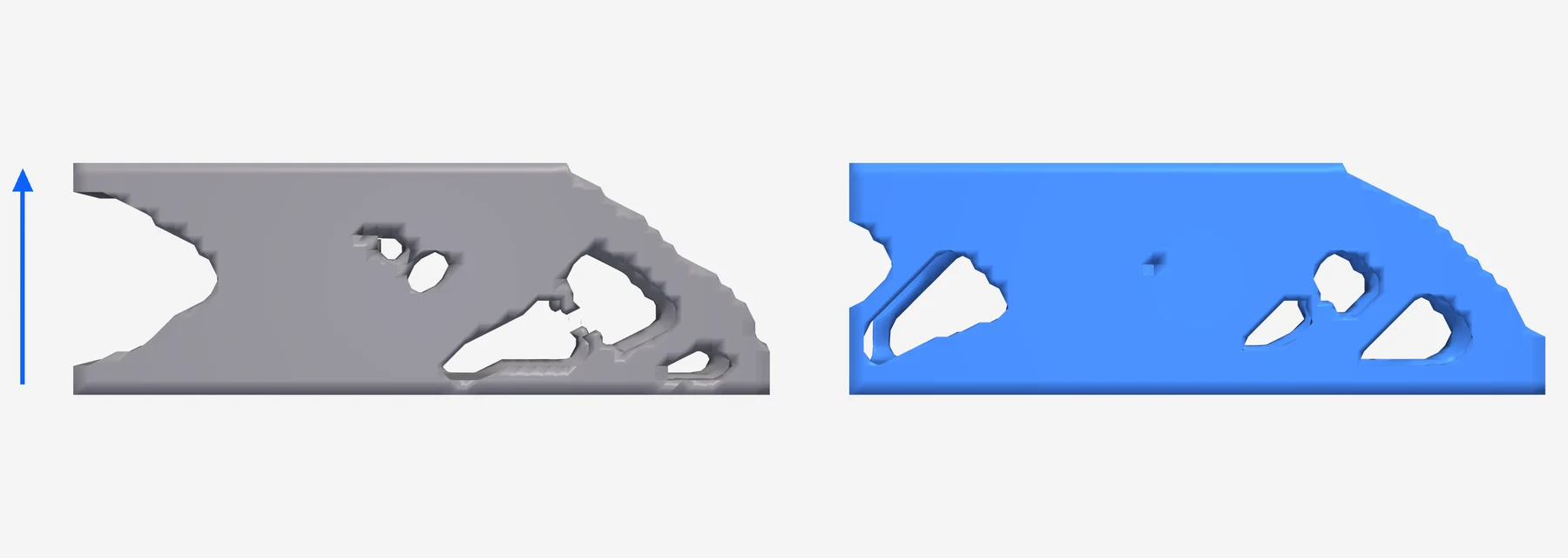
Left: the free design. Right: the same brief with a 45° overhang limit, building upwards. Unsupported overhang falls from 10.2% of the part to zero, for 3.8% of its stiffness.
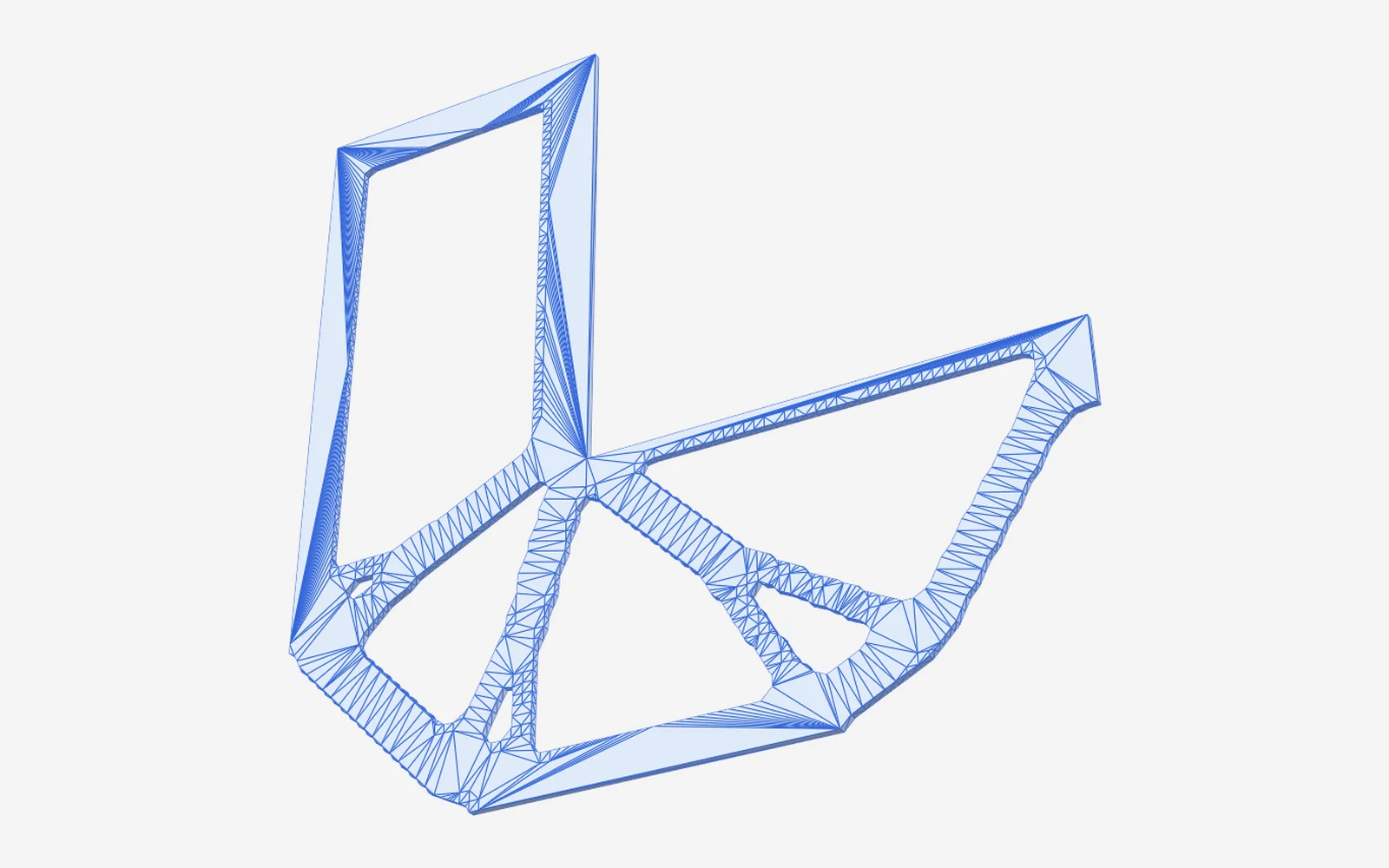
The design becomes a valid closed solid: no free edges, a volume exact to 15 digits, and keep regions such as bolt pads restored exactly. It goes out as STEP, then is meshed and solved again.
Not every part starts as a block. For sheet and shell structures Naksha sizes the thickness, stamps beads and moves boundaries.
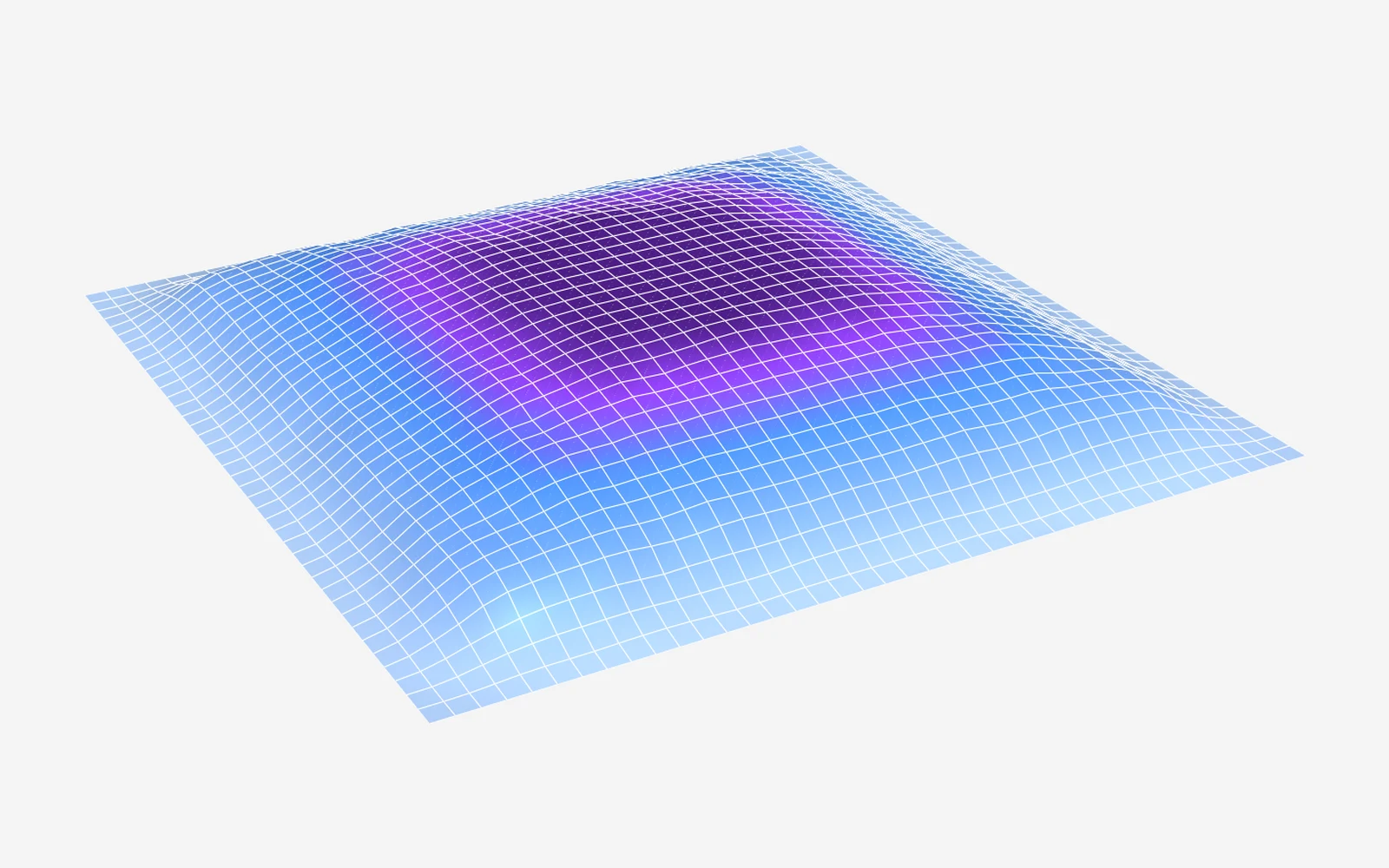
Beads stamped into a flat plate cut its compliance by 92%, about 12× stiffer, with no added mass. Every bead is full height or none, ready to stamp. Bead height, draw angle and symmetry are under your control: the steepest flank is 16° against a 30° limit.
Free-size gives every shell element its own thickness. Here it follows beam theory to within 0.4%. Sizing then snaps the result to the gauges you list, and the chosen set matches an exhaustive search of all 7,776 combinations.
Boundary nodes move to level the stress along an edge, with a mesh-quality guard on every step. On a plate with a hole the peak stress falls 8.9%. Under biaxial load, where a circle is already best, the shape is left alone.
Pick a design surface and its nodes move to lower compliance while the rest of the part stays put. In Naksha's own test, moving only the top face of a cantilever cut its compliance by 21%.
Optimisation has its own tab and works on the model in your tree: its mesh, sets, materials, static steps, loads and supports. There's no separate model to build.
Choose the problem, design space, limits and manufacturing controls. Check problem reads your model and names anything it can't use, such as gravity or a force in a local coordinate system, before a run starts.
MMA, GCMMA, optimality criteria, BESO, TOBS or level set; density or moving components; SIMP or RAMP; density or Helmholtz filtering, with projection. Code_Aster solves every iteration.
The design comes back as ordinary results on your model. Play the iterations as an animation, read thickness or the new shape, see the convergence and summary, and export STL or STEP.
An optimiser's own figures describe a cloud of partial material. Naksha turns the result into real geometry and solves that geometry again, so the number you report is the finished part's.
change in the result when the design moves to a finer mesh: the answer belongs to the part, not the grid
change when the STEP solid's own mesh is refined, and within 2.4% of the clipped-mesh check
fewer iterations when a coarse design seeds a fine one, for a slightly better result
An example from the cantilever benchmark: the solid part on the optimiser's mesh agrees within 0.2%. On its own finer mesh, the part is 16% more flexible than the optimiser predicted, and that is the figure Naksha reports.
Each case has checks that can fail, and they print pass or fail. The first table is run through Naksha's Optimization tab; the second is the optimisation engine's own benchmark set, the same code Naksha runs.
| Test | What it checks | Result |
|---|---|---|
| Cantilever topology30% volume, Code_Aster | Volume recomputed from the elements, a crisp design, STL, STEP and CAD re-analysis | Volume 0.3000 exactly, 0.6% grey material, all exports valid |
| Vertex morphingTop face of a cantilever | Only the design surface moves; compliance falls | Compliance −21% |
| Shell free-sizeQuad strip, mean 4.0 mm | Thickness follows the bending moment at the set mean | 5.67 mm at the clamp to 1.81 mm at the tip, mean exactly 4.0 mm |
| Benchmark | What it checks | Result | Checks |
|---|---|---|---|
| CantileverStiffness at 30% volume, four variants | Exact symmetry, no undercut along the draw, as-built stiffness vs the optimiser | As built within 0.2%, symmetric to machine precision | 11 / 11 |
| L-bracketMinimum mass under a stress limit | As-built peak stress, no floating pieces, tighter limit costs mass | Peak 1.007× the limit; point-by-point control: 16% less material at 1.03× | 5 / 5 |
| Clamped beamTwo lowest frequencies, 49–50% volume | As-built frequencies vs the optimiser, watertight surface | As built within 3–4% | 5 / 5 |
| ColumnTopology with a buckling bound | Bound met, material moves outward and to the base | Bound met at 49.6% volume | 5 / 5 |
| Printable cantilever45° overhang limit | Unsupported overhang removed, stiffness cost | Overhang 10.2% → 0%, for 3.8% stiffness | Pass |
| CAD reconstructionCantilever and L-bracket to STEP | Valid closed solid, keep regions, STEP round trip, re-analysis | 0 free edges, keep regions exact, mesh refinement 1.3% | 6 / 6 |
| Mesh studyCoarse, medium and fine meshes | Result change across meshes, coarse-to-fine start | 0.7% change; 36% fewer iterations from a coarse start | 4 / 4 |
| Bead plateTopography with draw angle and symmetry | Stiffness gain, slope limit, symmetry, full-height beads | −92% compliance, 16° vs 30°, 0% part-height beads | 5 / 5 |
| Shell stripFree-size and gauge sizing | Thickness law vs beam theory, gauge set vs exhaustive search | Exponent 0.498 vs 0.5; the exhaustive optimum | Pass |
| Plate with a holeFree shape | Peak stress, leaves an already optimal shape alone | −8.9% peak stress | Pass |
Engine benchmarks run the optimisation engine directly; Naksha carries the same engine unchanged. Crash optimisation results →
Send us a part, its loads and its limits. We'll show you the optimised design and its as-built numbers.