 product
Structural answers, straight from geometry.
No meshing and no mesh-convergence study. The solver works on your CAD parts and refines itself until its own error estimate meets your target.
High-order fields on real CAD.
- Geometry is the model. Each CAD part, or a sub-cell the solver creates inside it, carries a complete polynomial displacement field of degree 2 to 9.
- Exact integration. Volume integrals are computed exactly over the faceted CAD boundary using the divergence theorem, so no volume mesh is needed.
- Weak connections. Supports and part-to-part bonds are imposed weakly, which lets parts with mismatched surfaces connect cleanly.
- Adaptive passes. Each pass raises the polynomial order and estimates the energy-norm error. The solve stops at your tolerance, 1% by default.
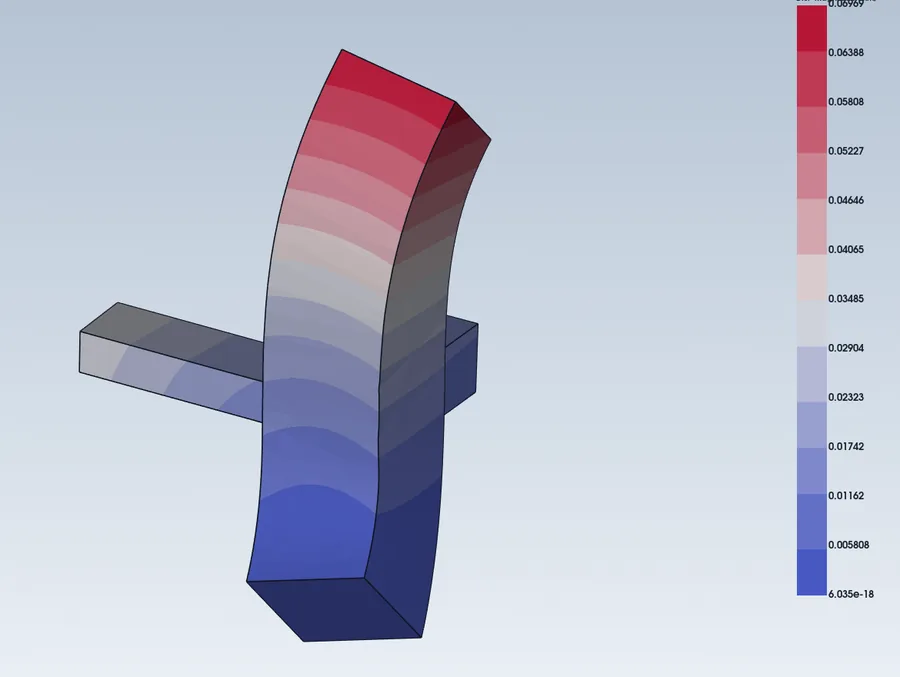
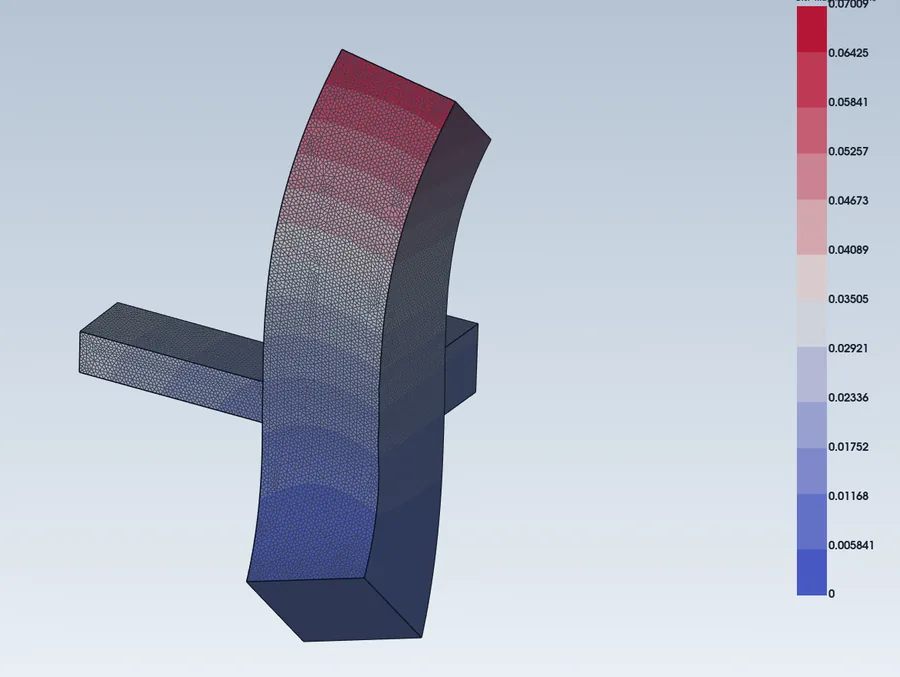
Same bracket, same loads: the mesh-free result and the hex-mesh FE result agree within 0.6%.
What it solves, and what it doesn't yet.
We would rather you know the limits up front. For anything outside this list, the same model can be sent to CalculiX, Code_Aster or OpenRadioss in one click.
Supported
- Linear static analysis
- Modal (natural frequency) analysis
- Small-strain J2 plasticity with isotropic or kinematic hardening
- Neuber and Glinka notch corrections
- Bonded and frictionless-sliding part interfaces
- RBE2 and RBE3 couplings, joints, bushings, remote loads
- Gravity, force and pressure loads
Not yet
- Thermal and thermo-mechanical analysis
- Separating (unilateral) contact and friction
- Bolt pre-load and weld modelling
- Transient dynamics
- Very large assemblies: the current direct solver is limited by memory, and a domain-decomposition solver is in development
Checked against NAFEMS benchmarks.
We run the standard NAFEMS cases and publish the error against the reference value, with CalculiX run on the same model for comparison.
| Benchmark | Mesh-free error | FE on same model | Status |
|---|---|---|---|
| LE1 | +0.7% | +0.1% | Good |
| LE5 | −0.4% | +1.7% | Good |
| T12 | within 1.2% (first 5 modes) | — | Good |
| T15 | within 0.8% | — | Good |
| T33 | −2.5% | −2.6%* | Good |
| LE8 | −7.9% | −8.4% | Matches FE |
| LE9 | −36% | −16% | In progress |
Solved at polynomial degree 6. *T33 FE value is the reference element result published with the benchmark; other FE values are CalculiX. Benchmarks are taken from the NAFEMS set. Results on complex, heavily featured parts can need more passes than the defaults, so check stress hot-spots with an FE run before you sign off a design.
The right solver for each question.
Use mesh-free for…
Early design iterations, stiffness and frequency checks on assemblies, and quick "is this OK?" answers on CAD that changes every day.
Switch to FE for…
Separating contact, thermal loads, transient events and final sign-off on stress hot-spots. Your setup carries over.
Compare both
Put the mesh-free and FE results side by side in the same viewer, with the same legend, and see where they agree.
Send us a part you know well.
We'll run it mesh-free and show you the result next to your FE answer, including where the two differ.